
Kursus Pembelajaran Cisco Packet Tracer
Folder ini disusun sebagai kursus praktik untuk mempelajari jaringan komputer dengan Cisco Packet Tracer.
networking cisco packet-tracer
Kursus Pembelajaran Cisco Packet Tracer
Folder ini merupakan kursus praktik untuk mempelajari jaringan komputer dengan Cisco Packet Tracer.
Struktur Kursus
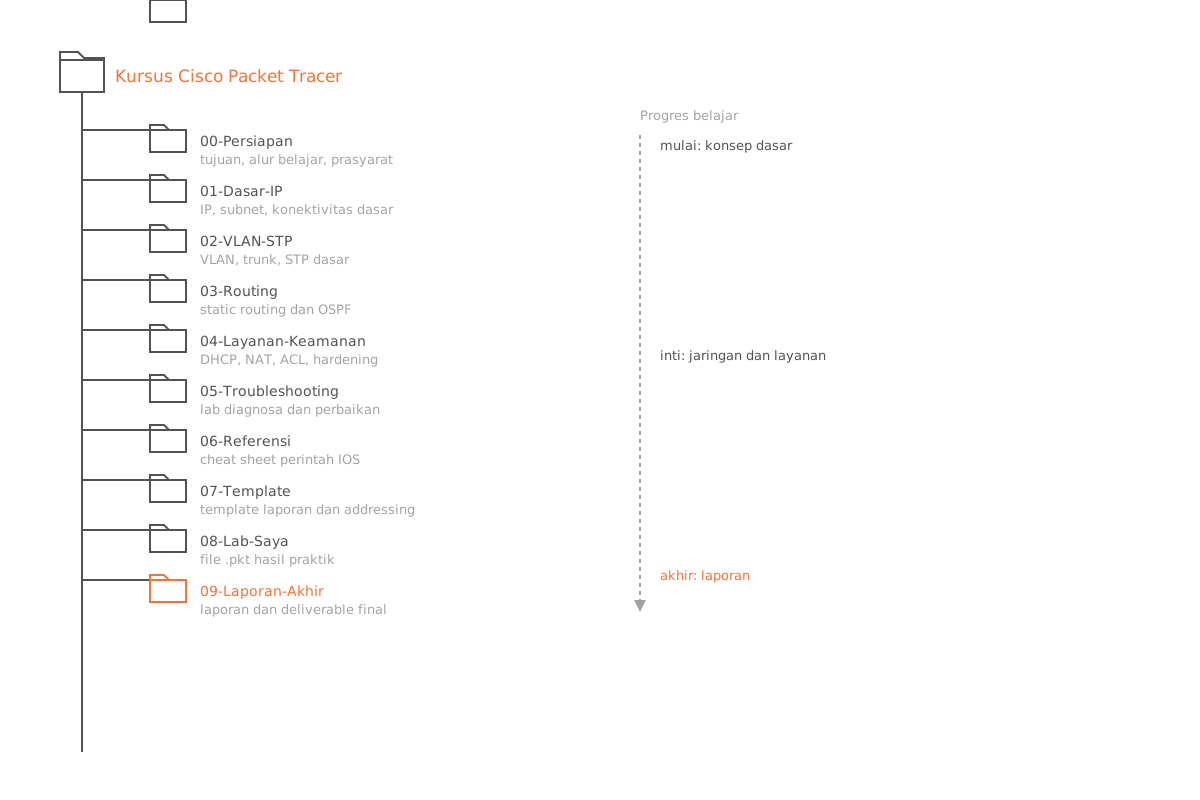
| Folder | Isi |
|---|---|
00-getting-started/ | Persiapan, tujuan, dan alur kerja |
01-network-fundamentals/ | Dasar-dasar IP dan konektivitas |
02-switching/ | VLAN, trunk, dan dasar-dasar STP |
03-routing/ | Static routing dan fundamental OSPF |
04-services-security/ | DHCP, NAT, ACL, dan keamanan dasar |
05-troubleshooting/ | Lab troubleshooting menyeluruh |
resources/ | Cheat sheet dan referensi belajar |
templates/ | Template laporan lab dan addressing |
packet-tracer-files/ | Berkas lab .pkt milikmu |
submissions/ | Laporan akhir dan deliverable yang diekspor |
Cara Menggunakan Kursus Ini
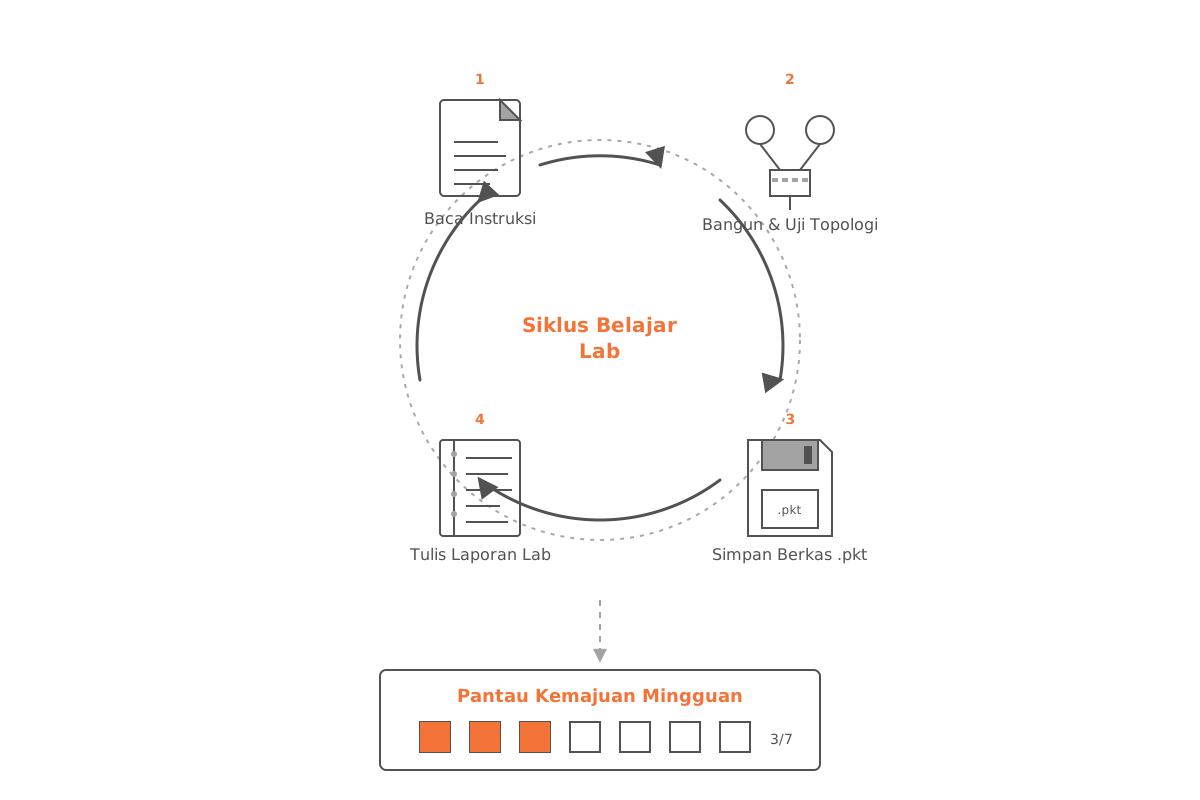
- Mulai dari
00-getting-started/README.md. - Kerjakan modul secara berurutan, dari
01hingga05. - Untuk setiap lab:
- Baca berkas instruksinya.
- Bangun dan uji topologi di Cisco Packet Tracer.
- Simpan berkas
.pktmilikmu dipacket-tracer-files/. - Tulis hasilnya menggunakan
templates/lab-report-template.md.
- Pantau kemajuan mingguan dengan
resources/study-plan-8-weeks.md.
Tip: Jangan lewati tahap penulisan laporan. Mencatat apa yang kamu konfigurasi dan apa yang kamu amati adalah momen ketika sebagian besar pembelajaran benar-benar melekat.
Konvensi Penamaan
Gunakan penamaan berkas yang konsisten agar lab dan laporan mudah dipasangkan.
| Jenis berkas | Pola |
|---|---|
| Berkas Packet Tracer | lab-<number>-<topic>-v<version>.pkt |
| Laporan lab | lab-<number>-report.md |
Contoh
lab-02-vlan-trunking-v1.pktlab-02-report.md