
Cisco Packet Tracer Learning Course
This folder is organized as a hands-on course for learning computer networking with Cisco Packet Tracer.
networking cisco packet-tracer
Cisco Packet Tracer Learning Course
This folder is a hands-on course for learning computer networking with Cisco Packet Tracer.
Course Structure
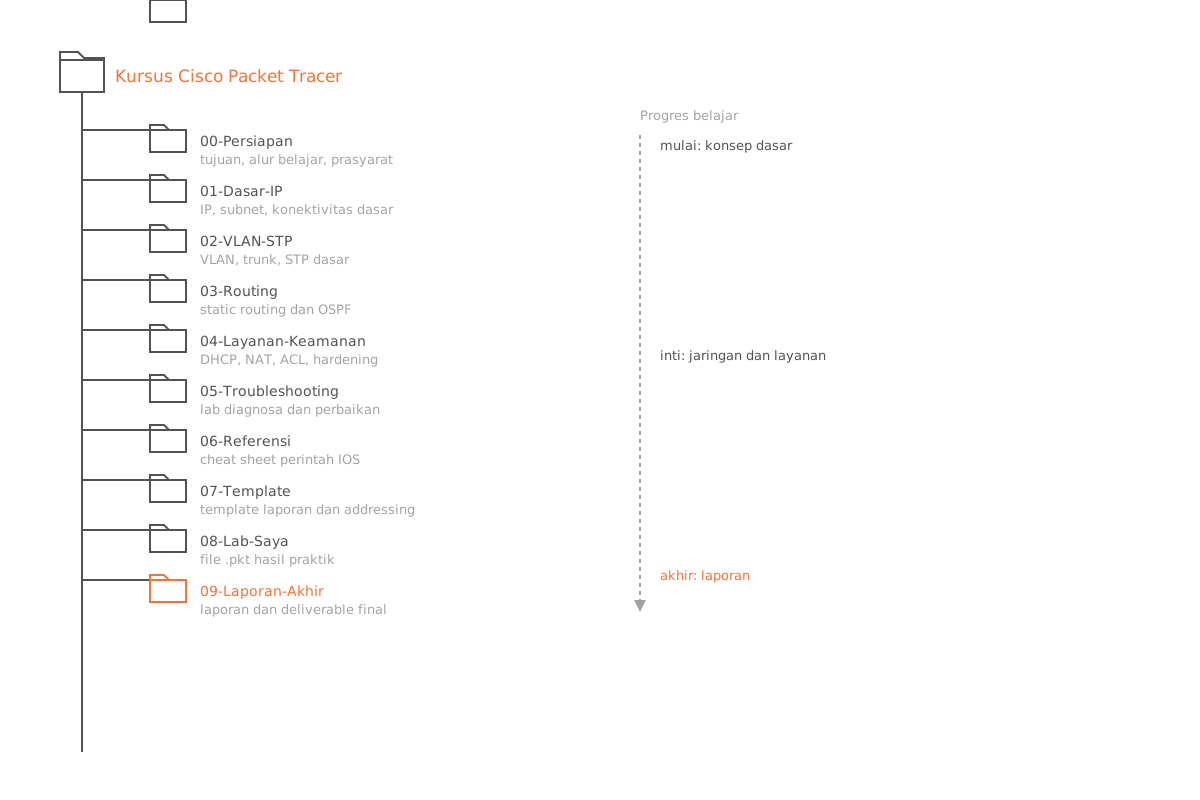
| Folder | Contents |
|---|---|
00-getting-started/ | Setup, goals, and workflow |
01-network-fundamentals/ | IP basics and connectivity |
02-switching/ | VLANs, trunks, and STP fundamentals |
03-routing/ | Static routing and OSPF fundamentals |
04-services-security/ | DHCP, NAT, ACLs, and basic security |
05-troubleshooting/ | End-to-end troubleshooting labs |
resources/ | Cheat sheets and study references |
templates/ | Lab report and addressing templates |
packet-tracer-files/ | Your .pkt lab files |
submissions/ | Final reports and exported deliverables |
How to Use This Course
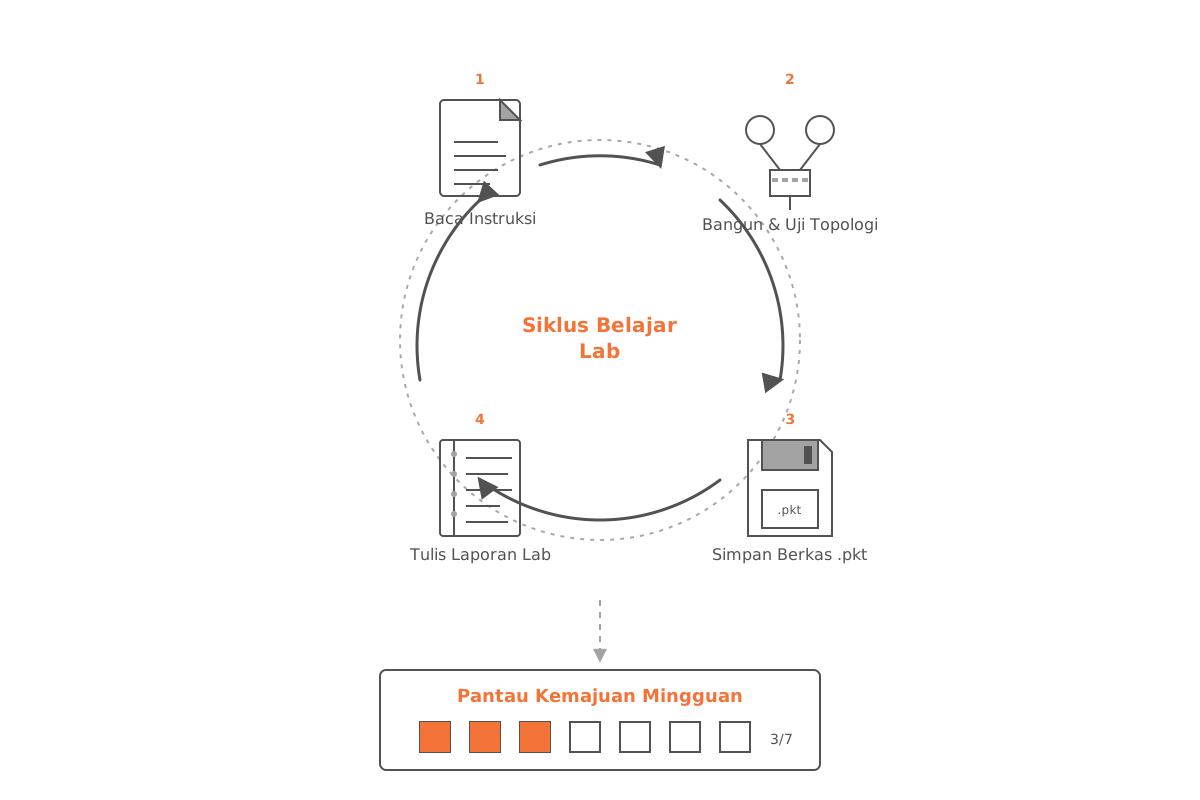
- Start with
00-getting-started/README.md. - Work through the modules in order, from
01to05. - For each lab:
- Read the instructions file.
- Build and test the topology in Cisco Packet Tracer.
- Save your
.pktfile inpacket-tracer-files/. - Write up your results using
templates/lab-report-template.md.
- Track your weekly progress with
resources/study-plan-8-weeks.md.
Tip: Don’t skip the write-up step. Recording what you configured and what you observed is when most of the learning actually sticks.
Naming Conventions
Use consistent file naming so labs and reports are easy to pair up.
| File type | Pattern |
|---|---|
| Packet Tracer file | lab-<number>-<topic>-v<version>.pkt |
| Lab report | lab-<number>-report.md |
Examples
lab-02-vlan-trunking-v1.pktlab-02-report.md