Module 6: Computer Components in Introduction to Information Technology
Computer components inside the casing and data representation systems
Computer Components Inside the Casing
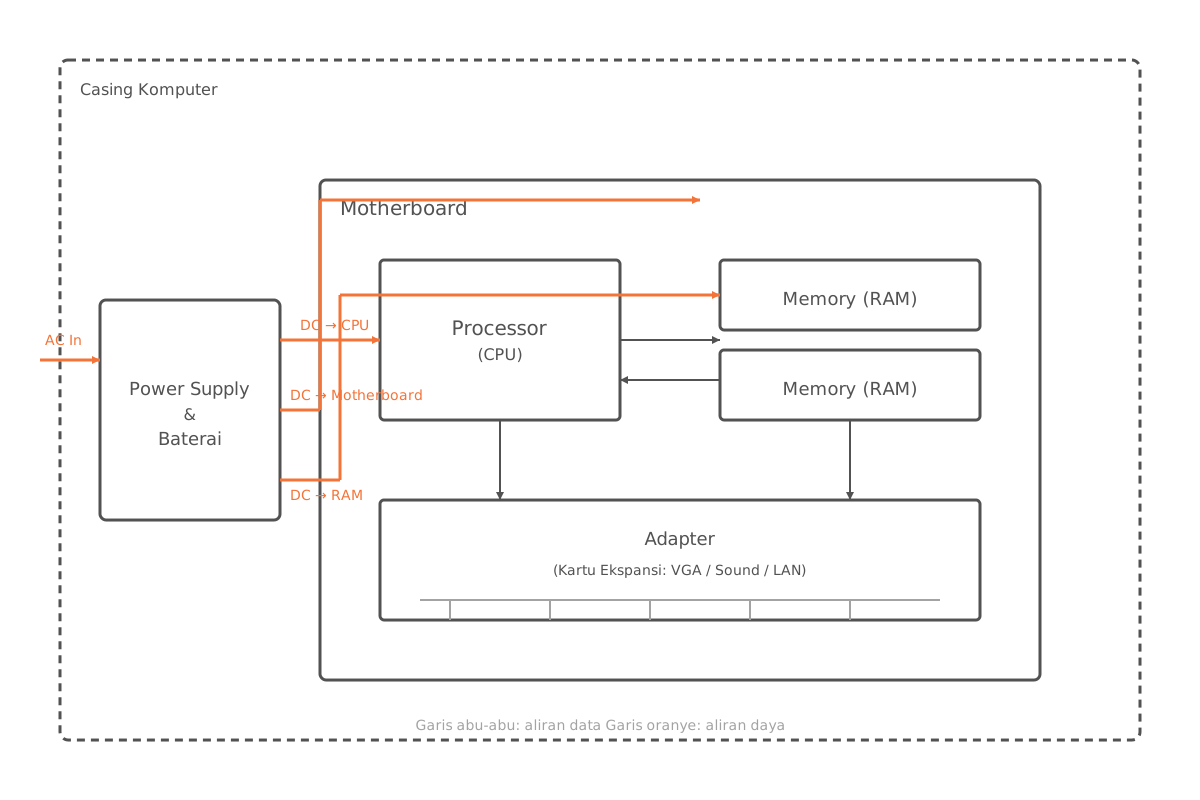
A computer casing serves as both a container and a protective enclosure for the various electronic components inside a computer or mobile device. It houses several main components that work together to keep the system running properly.
| Component | Function |
|---|---|
| Motherboard | The main circuit board that integrates components such as RAM, the processor, and others. |
| Processor (CPU) | The brain of the computer, which executes the basic instructions needed to operate the system. |
| Memory | Stores instructions waiting to be executed by the processor along with the data they require. |
| Adapter | Connects the computer to other devices, such as a sound card or video card. |
| Battery & Power Supply | Converts AC electrical current into DC and distributes power to every component. |
Data Representation
Computers use the binary number system (base 2) as their native language. In practice, however, several other number bases are also commonly used to represent data.
Commonly Used Number Bases
- Binary (base 2): consists only of
0and1. - Octal (base 8): consists of the digits
0through7. - Decimal (base 10): the base humans use day to day, consisting of
0through9. - Hexadecimal (base 16): consists of
0–9plus the lettersA–F.
Conversion Between Bases
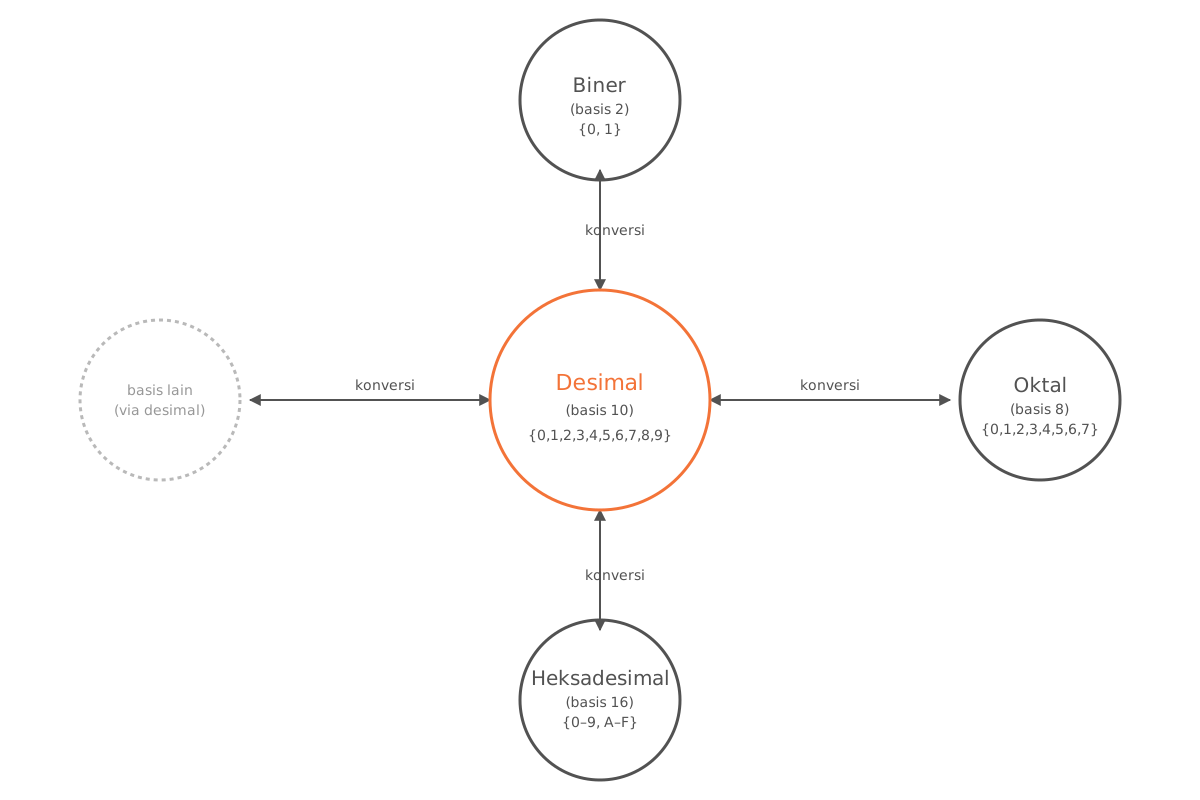
Some conversions commonly studied include:
- Binary ↔ Decimal
- Octal ↔ Decimal
- Hexadecimal ↔ Decimal
Exercises
1. Decimal to Binary Conversion
- Convert to binary.
- Convert to binary.
2. Binary to Decimal Conversion
- Convert to decimal.
- Convert to decimal.
Analogy: School Identification Number
Imagine you manage a school, and every student has a unique number called a School Identification Number (NIS) in decimal form. You want to design a new identification system that uses only the digits 0 and 1 — that is, in binary form.
- Decimal → Binary. A student with NIS wants to switch their identification number to binary form. You convert into .
- Binary → Decimal. Conversely, when you see the binary number , you convert it back into to identify the student.
This analogy offers a simple illustration of the conversion process between the decimal and binary bases, which is widely used in programming and computer systems.