Module 8: Data Storage in Computers and Cloud Devices: A Complete Guide
Data storage in computers and cloud devices: a complete guide
This article covers various storage media in computers as well as cloud-based storage — from basic concepts and types of devices to enterprise-scale solutions.
Basic Concepts of Data Storage
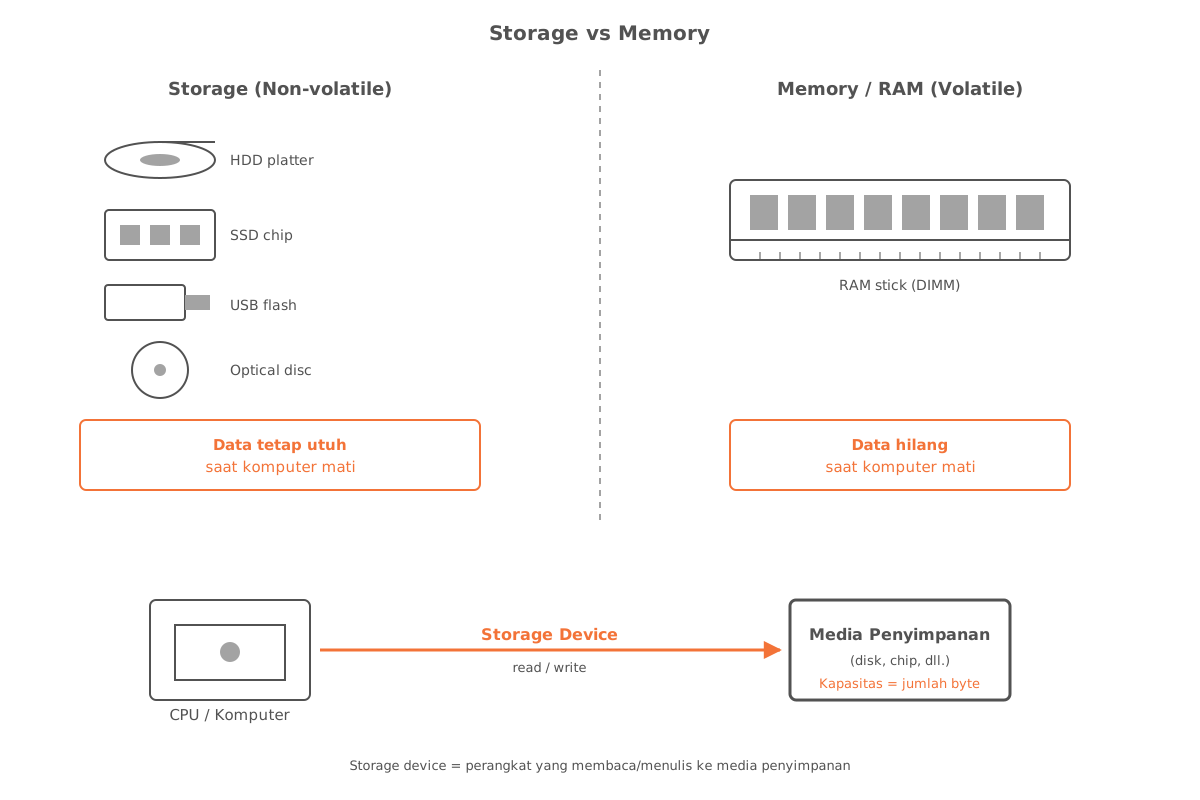
Before discussing the types of devices, it’s important to understand a few core terms:
- Storage media is the physical material on which a computer stores data, information, programs, and applications.
- A storage device is the hardware that records and/or retrieves data to and from storage media.
- The capacity of a storage device is the number of bytes it can hold.
Data on storage media remains intact even when the computer is turned off — this is what distinguishes storage from memory (RAM), which is temporary.
In general, the storage components in modern computers include hard disk drives (HDDs) and solid state drives (SSDs), discussed in the following sections.
Hard Disk Drive (HDD)
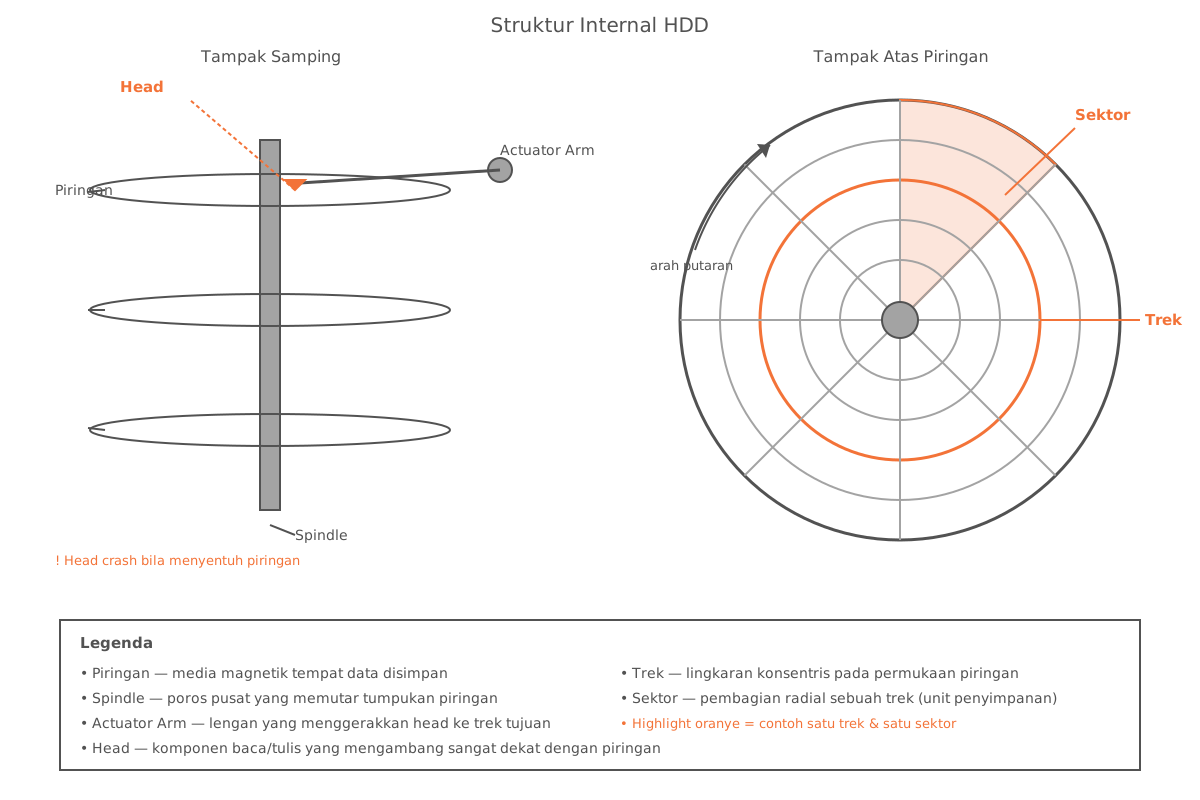
A hard disk contains circular platters that use magnetic particles to store data.
HDD Characteristics
- Storage capacity is determined by several factors, including the number of platters and the density of the magnetic particles.
- Before use, a hard disk needs to be formatted so it is divided into tracks and sectors.
Risk of Damage
A head crash occurs when the read head touches the surface of the platter, and it can permanently damage data.
Solid State Drive (SSD)
An SSD is a storage device based on flash memory, equipped with its own processor to manage its storage operations.
Some advantages of SSDs over HDDs:
- Much higher access speeds.
- Better durability, since they have no moving parts.
- No need for defragmentation.
Portable Flash Memory Storage
Memory cards and USB flash drives are flash memory–based storage devices that can be removed and moved between devices. Both are commonly used on computers and mobile devices to transfer or back up data.
Optical Disc
An optical disc is a flat, round, portable disc that is written to and read using a laser.
| Type | General Capabilities |
|---|---|
| CD | Smallest capacity; available in read-only, recordable, and rewritable variants |
| DVD | Larger capacity than CD; supports standard-quality video |
| Blu-ray | Largest capacity; supports high-definition video |
Enterprise Storage
Enterprise storage refers to hardware used by large organizations to manage data and information on a large scale.
One form is Network Attached Storage (NAS) — a dedicated server placed on a network to provide storage space for connected users, computers, and other devices.
Closing
By understanding the characteristics of each type of storage — from HDDs and SSDs for personal use, flash memory and optical discs for portability, to enterprise storage for organizational scale — users can choose the solution that best fits their needs in terms of capacity, speed, and data mobility.