Module 4: Programs and Applications: Roles, Types, and Security in Information Technology
Programs and applications: roles, types, and security in IT
Introduction
This article discusses various aspects of programs and applications in the context of information technology. The discussion begins with the differences between programs (software) and applications (apps), the role of the operating system as the bridge between hardware and software, and the variety of software forms available — ranging from retail software to open source.
Programs and Applications
Programs and applications (apps) are two terms commonly used in the context of software on computers and mobile devices. The two are closely related, but they differ in scope and purpose.
Programs (Software)
Description. A program, or software, is a series of instructions or computer code designed to perform a specific task on a computer or mobile device. Its scope is broad, ranging from operating systems, word processors, spreadsheets, web browsers, and many more.
Main function. A program’s job is to tell the computer or mobile device what to do and how to do it. For example, a word processing program helps users write and edit documents, while an operating system manages all the basic hardware and software operations on a computer.
Applications (Apps)
Description. Applications, or “apps,” are programs designed specifically for a particular purpose, such as helping users complete specific tasks or activities. Applications generally have a narrower function compared to general-purpose programs.
Main function. Applications are built to boost productivity, provide entertainment, or meet specific needs. Examples include games, productivity apps (calendars or reminders), social media, banking, and more.
Key Differences
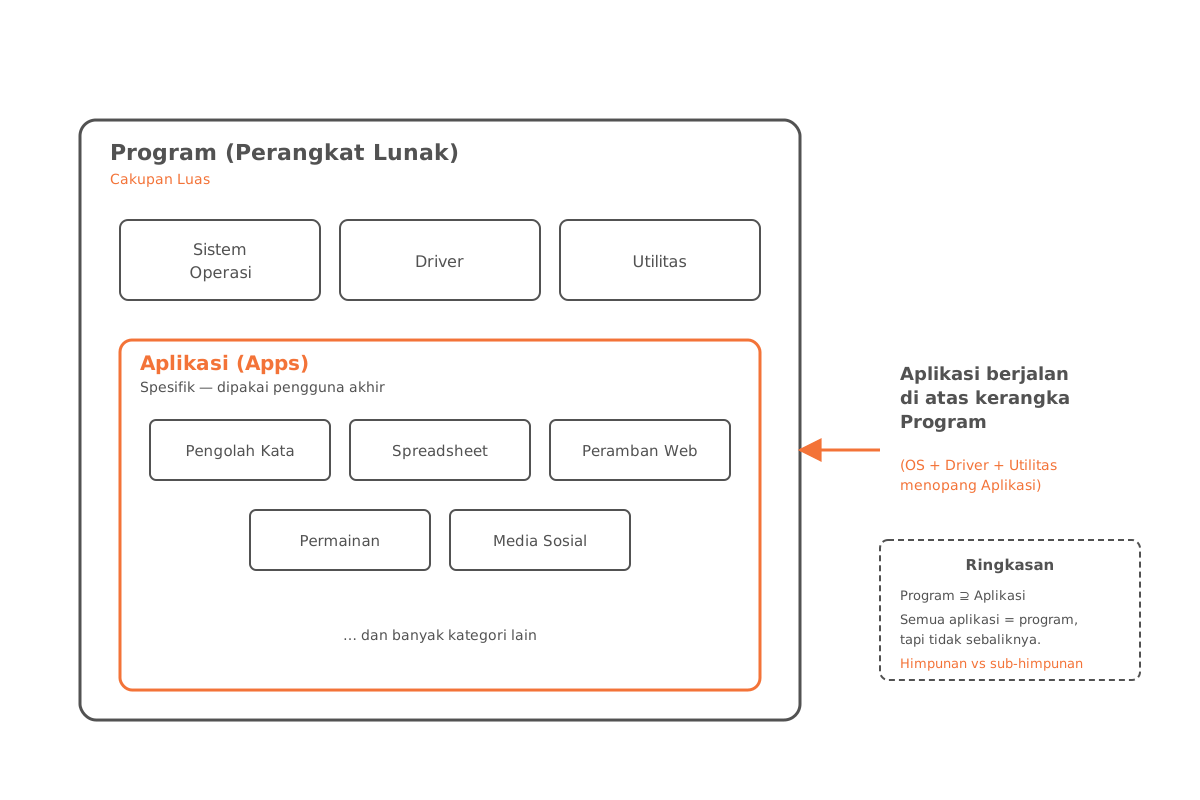
The main difference between programs and applications lies in their level of abstraction and intended use.
| Aspect | Program | Application |
|---|---|---|
| Scope | Broad, including operating systems | Specific to a particular task |
| Purpose | Manage all aspects of the computer | Support user activities |
| Relationship | Provides the framework | Runs on top of that framework |
In many cases, an application is part of a larger piece of software or runs on top of an operating system that provides the framework for it.
Examples and Analogies
The following analogies can help illustrate the concepts above.
Program vs. Application
Think of a computer or mobile device as a car. The program is the engine inside the car, while the application is an add-on feature like the radio, GPS, or climate control. The engine (program) tells the car (computer) how to run, while the add-on features (applications) make the user more comfortable and productive during the journey.
Operating System
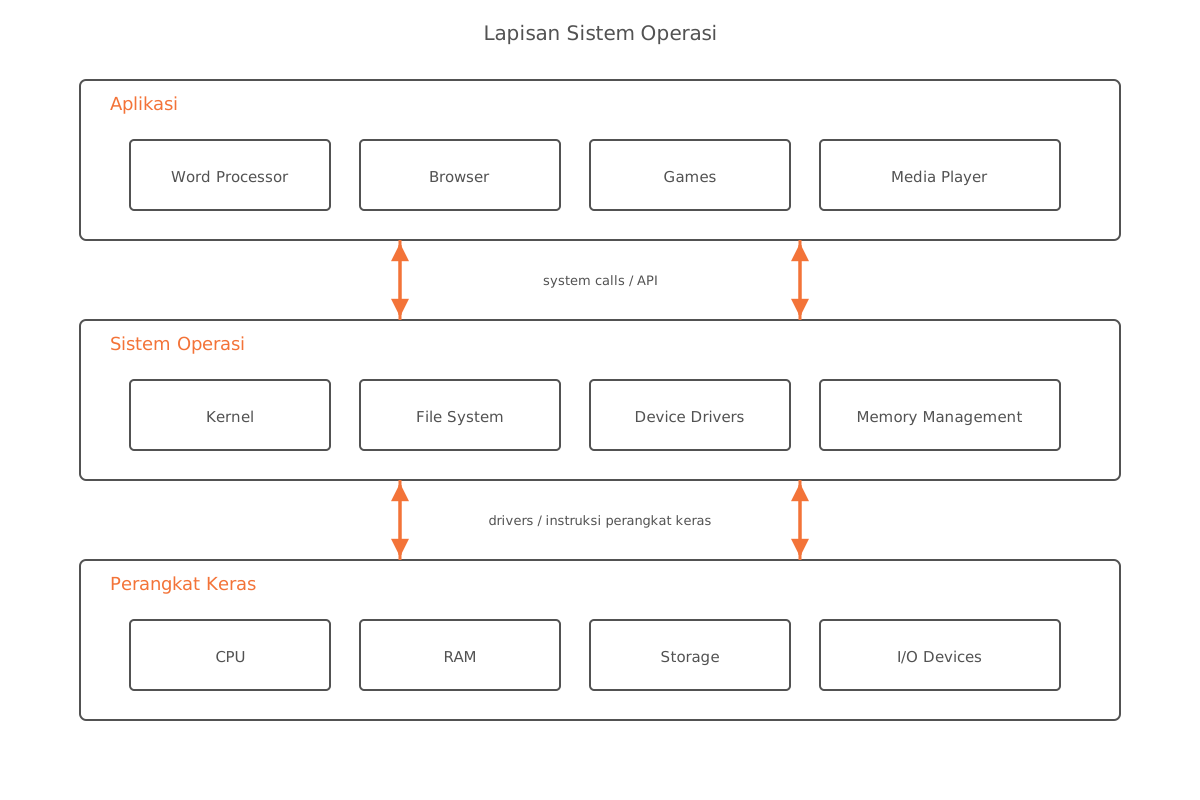
The operating system can be thought of as the heart of a computer or mobile device. It ensures all parts work together and coordinates every activity — much like a heartbeat that keeps the body moving.
Types of Software
The variety of software can be compared to the types of food found in a supermarket:
| Food Analogy | Type of Software |
|---|---|
| Ready-to-eat meals | Retail software |
| Custom-ordered meals | Custom software |
| Food enjoyed in the store | Web applications |
| Takeaway food | Mobile applications |
| Free food samples | Freeware |
| Food you can modify | Open source |
| Free food without restrictions | Public domain |
Productivity Applications
Productivity applications are similar to a toolbox. Inside, you’ll find various tools, each with its own role:
- Hammer → word processor
- Screwdriver → spreadsheet
- Nails → project management
Each tool plays a different role in getting the job done.
Graphics and Media Applications
Graphics and media applications can be likened to art studio equipment:
- Brush → image editing
- Camera → photo editing
- Large canvas → video editing
- Musical instruments → multimedia creation
All of them are used to create digital works of art.
Security Tools
A personal firewall is like a fence around your house that protects you from unwanted intrusion.
Antivirus is like a vaccine that protects the body from disease (computer viruses).
Adware and spyware are like annoying ads that should be removed from the environment.
System Management Tools
System management tools can be compared to managing a wardrobe:
- File manager → a wardrobe that keeps clothes neatly organized
- Search → a quick-search system inside the wardrobe
- Defragmenter → tidying up clothes for easier access
- Backup and restore → a backup set of clothes in case the originals are damaged