Workspacebook Mobile Flutter
Create a `.env` file at the root of your project and add the following variables:
flutter mobile dart
Overview
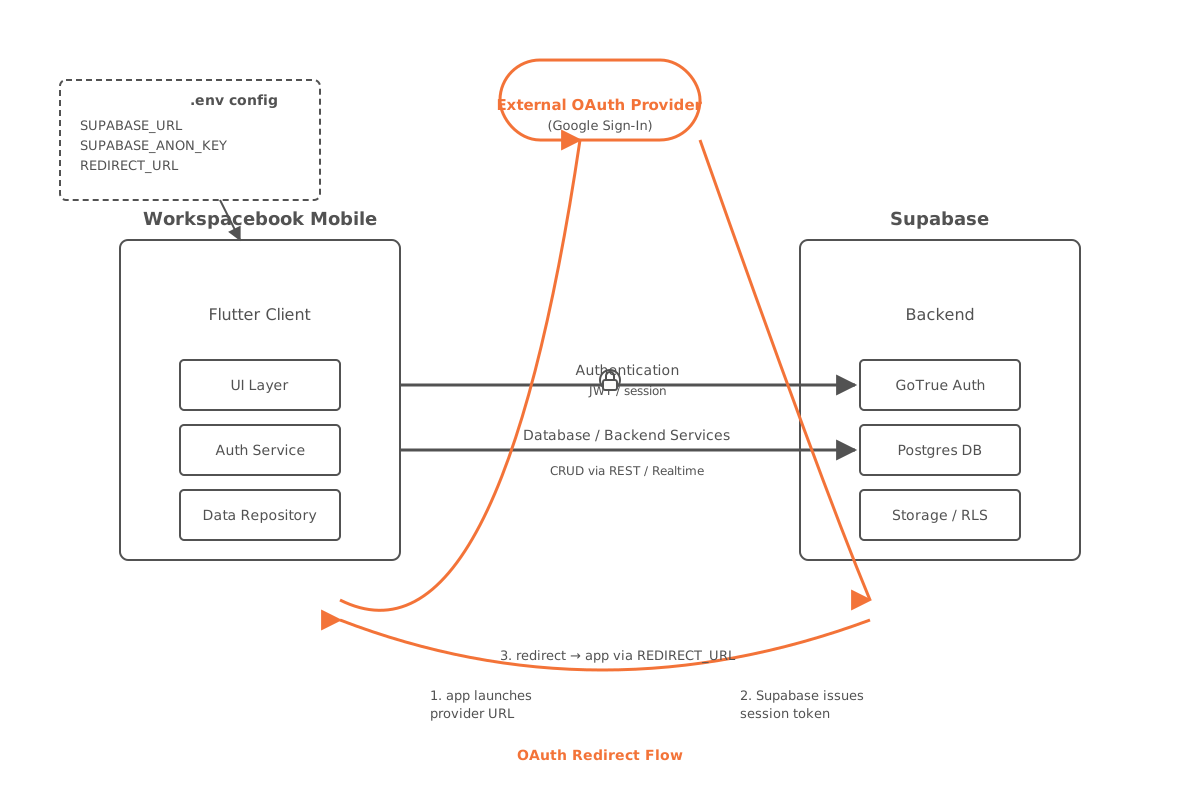
Workspacebook Mobile Flutter is a mobile client built with Flutter and powered by Supabase for authentication and backend services. Before running the app, configure the required environment variables first.
🔐 Environment Variable Configuration
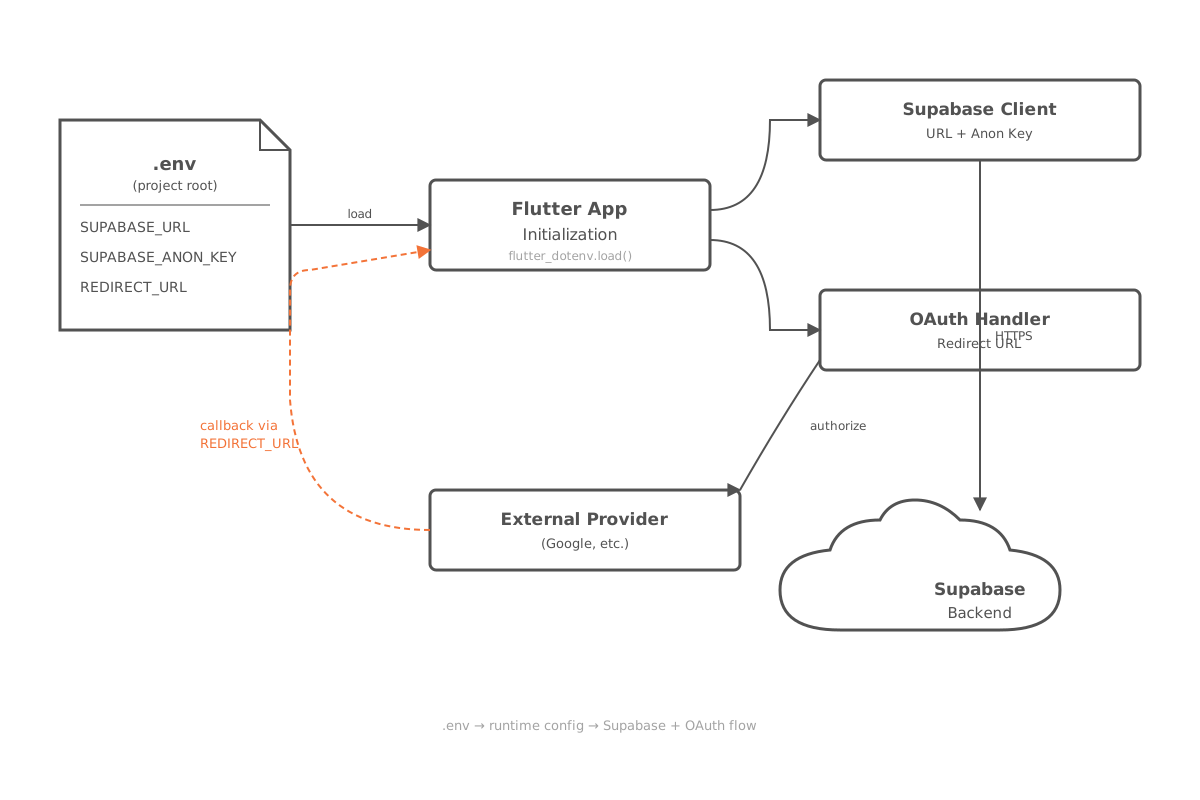
Create a .env file at the project root, then add the following variables:
SUPABASE_URL=
SUPABASE_ANON_KEY=
SUPABASE_REDIRECT_URL=
Variable Reference
| Variable | Purpose | Where to find it |
|---|---|---|
SUPABASE_URL | The base URL of your Supabase project. | Project Settings → API → Project URL |
SUPABASE_ANON_KEY | The public anonymous API key used to access Supabase from the frontend. | Project Settings → API → anon public |
SUPABASE_REDIRECT_URL | The redirect URL used after login or OAuth sign-in (e.g. Google Sign-In). | Authentication → URL Configuration → Site URL |
Local Development Notes
💡 For local development, point
SUPABASE_REDIRECT_URLto your local app scheme or anhttp://localhostcallback so the OAuth flow returns to the running app.