📐 Mobile Programming Android App (CLI-friendly)
A simple Android app built for educational purposes. Calculates the area and perimeter of basic 2D shapes like squares, rectangles, and triangles.
android mobile kotlin
A simple Android app built for educational purposes. It calculates the area and perimeter of basic 2D shapes — squares, rectangles, and triangles.
This project is designed to be built, run, and documented entirely from the command line — no Android Studio required.
Features
- ✍️ Simple UI defined in XML layouts
- ⚙️ CLI workflow for build, install, run, and screenshot capture via scripts
- 📸 Auto-screenshot source code using
carbon-now-cli
Project Structure
Only the folders relevant to day-to-day work are shown below.
app/
├── src/
│ └── main/
│ ├── java/ # Source code (.kt / .java)
│ ├── res/ # Layouts, Drawables, etc.
│ └── AndroidManifest.xml
├── build.gradle # App-level Gradle file
gradle/
├── wrapper/ # Gradle wrapper
gradlew, gradlew\.bat # Wrapper scripts
build.gradle # Root-level Gradle
settings.gradle
CLI Workflow
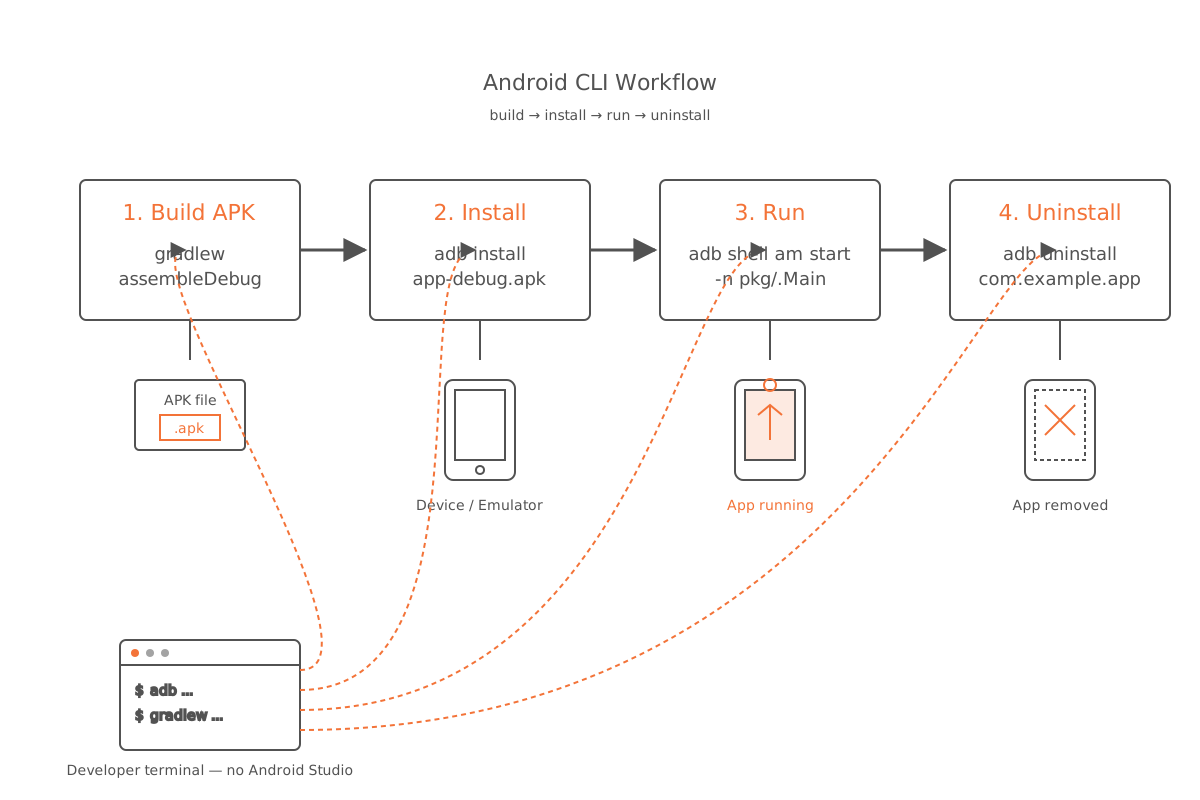
Build APK
./gradlew assembleDebugInstall to emulator or device
adb install -r app/build/outputs/apk/debug/app-debug.apkRun the app
adb shell monkey -p com.ubl.tugas_mp -c android.intent.category.LAUNCHER 1Uninstall the app
adb uninstall com.ubl.tugas_mpCapturing Code Screenshots
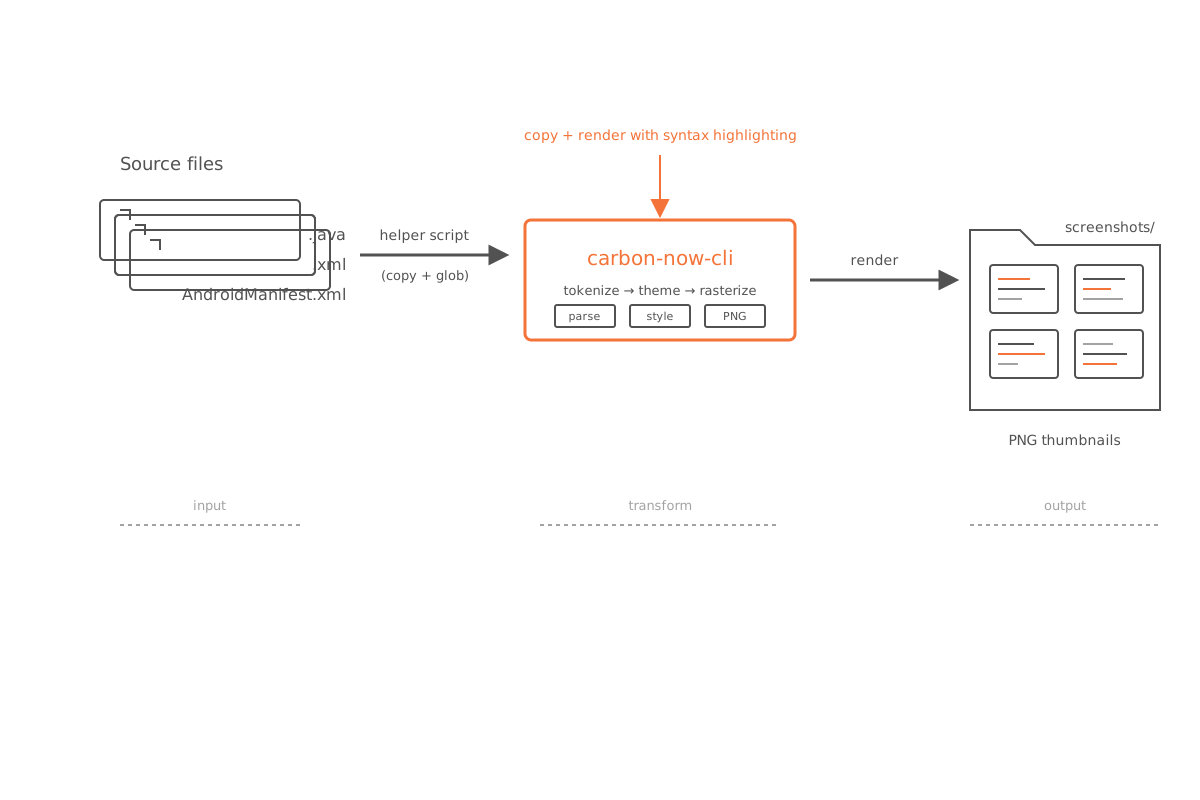
1. Install the CLI tool
npm install -g carbon-now-cli2. Run the helper script
./generate_screenshots.shThe script will:
- Copy all
.java,.kt, and.xmlfiles intoscreenshots/ - Generate syntax-highlighted PNG screenshots from the
.ktand.javasources
Output structure
Once the script finishes, you’ll find:
screenshots/
├── com/ubl/tugas_mp/MainActivity.kt
├── com/ubl/tugas_mp/MainActivity.png
└── res/layout/activity_main.xml
Author
| Field | Value |
|---|---|
| Name | Aris Kurniawan |
| Student ID | 2311510438 |
| University | Universitas Budi Luhur |
| Course | Mobile Programming |
Next Steps
A few possible directions for this project:
- Add custom CLI commands like
make runormake screenshot - Wrap the workflow into a
Makefileor shell alias helpers - Generate a
.zipor.tar.gzarchive ready for submission