📚 Course Management System
A simple web app for managing course data using PHP and MySQL. Supports **CRUD (Create, Read, Update, Delete)** operations with a si...
php web laravel
A simple web app for managing course data using PHP and MySQL. Supports CRUD (Create, Read, Update, Delete) operations with a responsive interface built on Tailwind CSS.
Features
- Add course data
- View the list of courses
- Edit course data
- Delete course data
- Simple, responsive UI
Tech Stack
| Layer | Technology |
|---|---|
| Backend | PHP (Native) |
| Database | MySQL |
| Frontend | HTML + Tailwind CSS |
Folder Structure
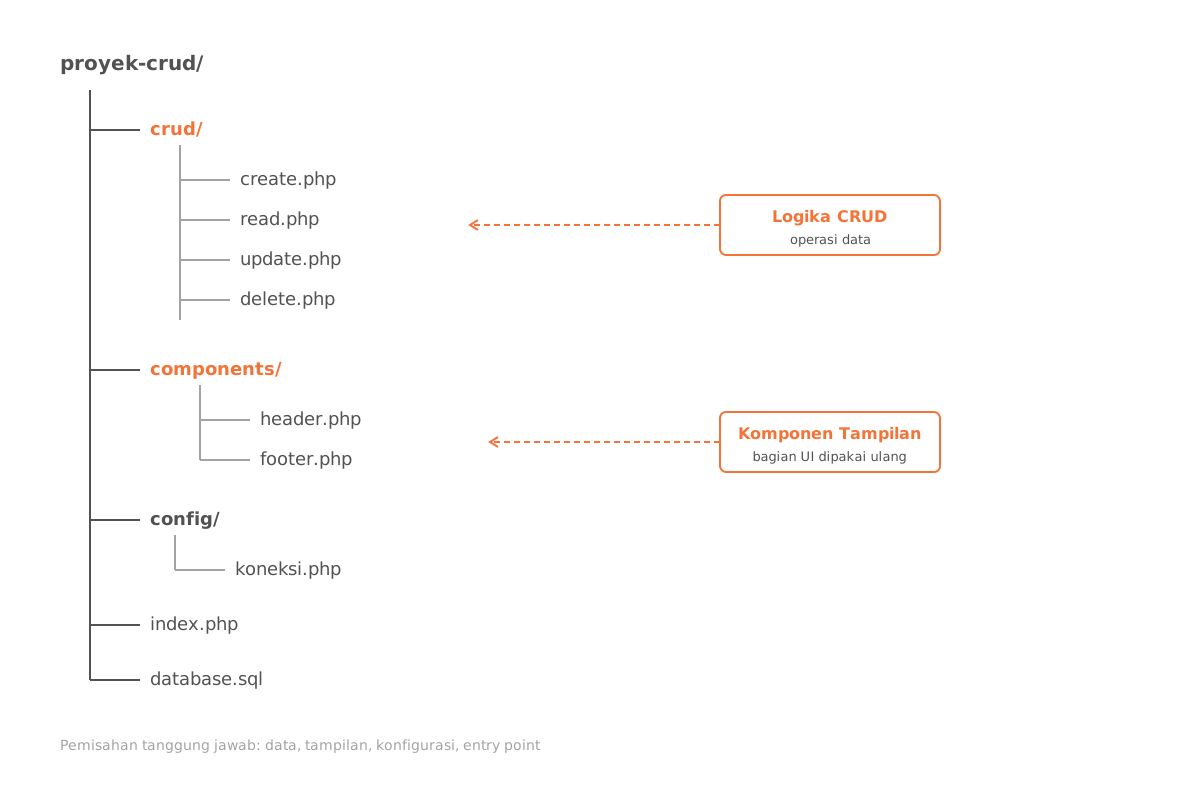
📁 config/
└── db.php # Koneksi database
📁 feature/
├── create_matakuliah.php
├── update_matakuliah.php
└── delete_matakuliah.php
📁 template/
├── header.php
└── footer.php
form.php
index.php
CRUD logic is split out into the
feature/folder, while reusable UI components — the header and footer — live intemplate/.
Code Snippets
1. Create — Add Data
<?php
include '../config/db.php';
if ($_SERVER['REQUEST_METHOD'] === 'POST') {
    $kd = $_POST['kd'];
    $nm = $_POST['nm'];
    $sks = $_POST['sks'];
    $stmt = $conn->prepare("INSERT INTO matakuliah (kd_mtk, nm_mtk, sks) VALUES (?, ?, ?)");
    $stmt->bind_param("ssi", $kd, $nm, $sks);
    $stmt->execute();
    header("Location: ../index.php?create=success");
}
?>
2. Read — Display Data
<?php
$stmt = $conn->prepare("SELECT * FROM matakuliah");
$stmt->execute();
$result = $stmt->get_result();
while ($row = $result->fetch_assoc()) {
    echo $row['kd_mtk'] . " - " . $row['nm_mtk'] . " (" . $row['sks'] . " SKS)";
}
?>
3. Update — Edit Data
<?php
include '../config/db.php';
if ($_SERVER['REQUEST_METHOD'] === 'POST') {
    $kd = $_POST['kd'];
    $nm = $_POST['nm'];
    $sks = $_POST['sks'];
    $stmt = $conn->prepare("UPDATE matakuliah SET nm_mtk = ?, sks = ? WHERE kd_mtk = ?");
    $stmt->bind_param("sis", $nm, $sks, $kd);
    $stmt->execute();
    header("Location: ../index.php?update=success");
}
?>
4. Delete — Remove Data
<?php
include '../config/db.php';
if (isset($_GET['kd'])) {
    $kd = $_GET['kd'];
    $stmt = $conn->prepare("DELETE FROM matakuliah WHERE kd_mtk = ?");
    $stmt->bind_param("s", $kd);
    $stmt->execute();
    header("Location: ../index.php?delete=success");
}
?>
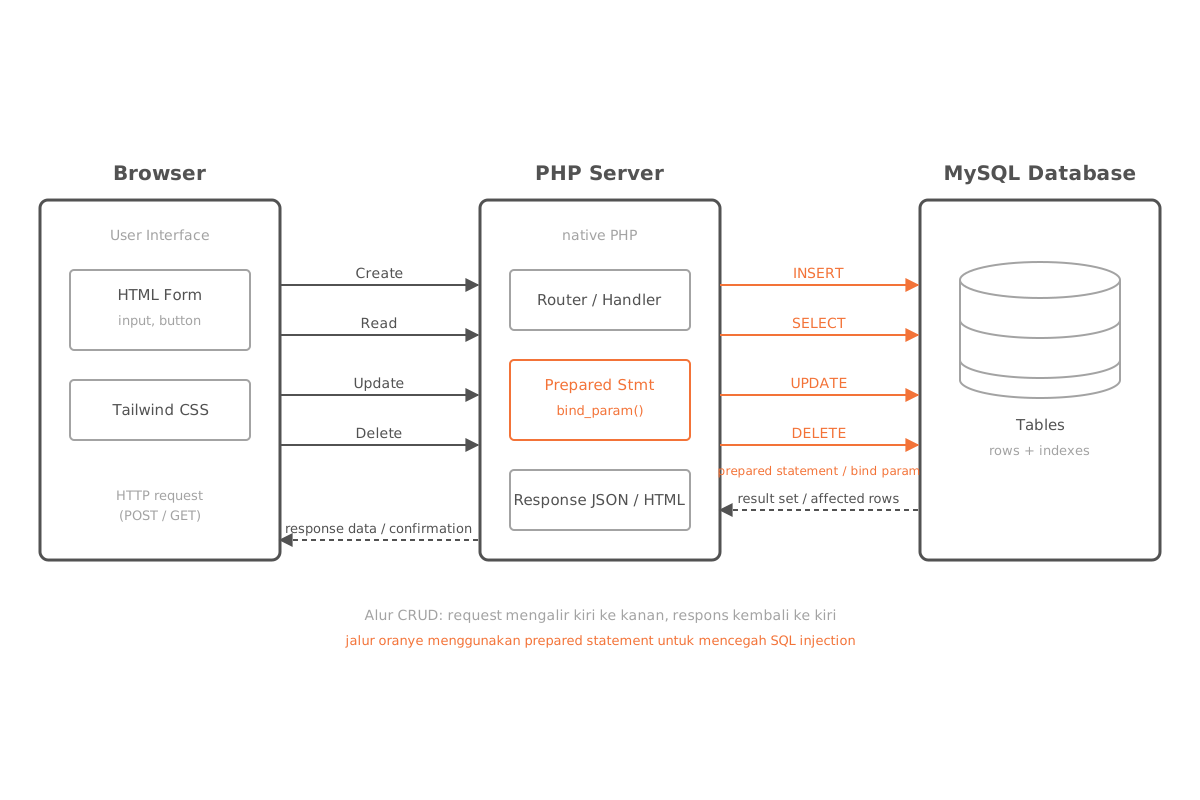
Every query runs through prepared statements with
bind_param, so user input is never concatenated directly into SQL strings.
Screenshots
- Database Schema —
- Course List —
- Add / Edit Form —
- Create Success —
- Update Success —
- Delete Success —
How to Run
1. Clone the repository
git clone https://github.com/arisos/pwtm.git
cd pwtm
2. Import the database
Import the db.sql file via phpMyAdmin or the MySQL CLI:
mysql -u root -p nama_database < db.sql3. Start a local server
php -S localhost:80004. Open it in your browser
http://localhost:8000License
This project is free to use for learning and personal development purposes.